Live chat software for your website, with AI that answers first
Visitors get an answer straight away from your AI chatbot. When they ask for a person, your team picks up the same chat. Live chat is unlimited on every plan.
Free forever: unlimited live chat and 30 AI conversations a month. No card.
No sign up to try it.
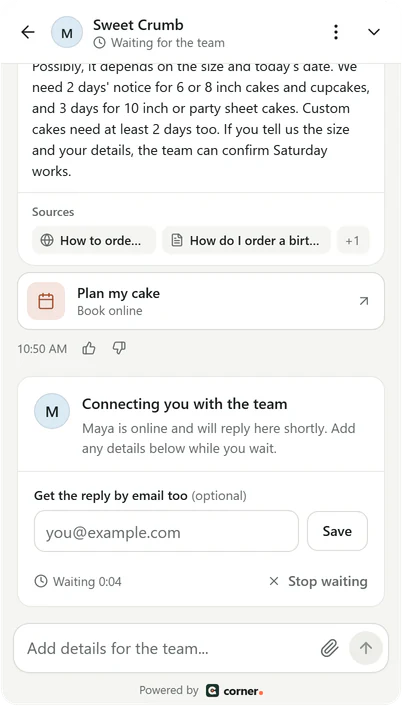
Real Corner messenger, demo bakery.
How a chat reaches your team
AI answers first. A person is one tap away.
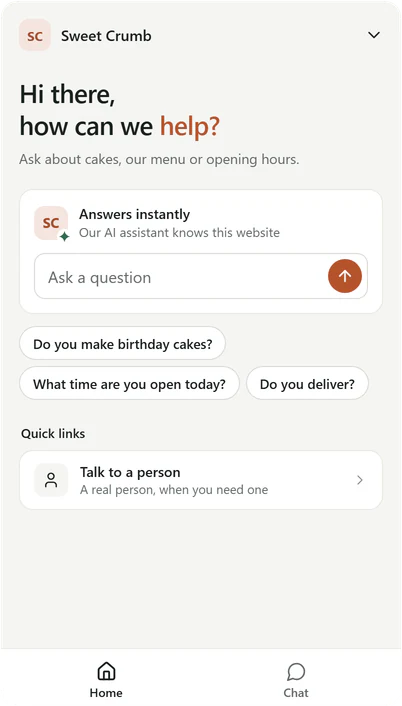
Real Corner messenger, demo bakery.
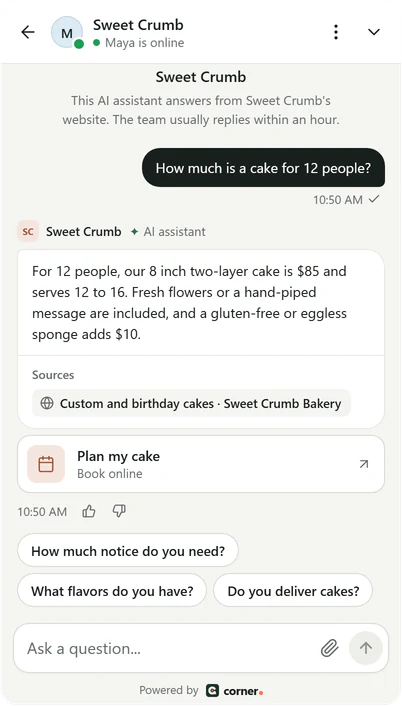
When nobody is online
What your visitor sees, step by step.
- Your away message, in your words.
- A short card for their email or phone number.
- The chat waits in your inbox, under Needs you.
- Your reply is emailed to them if they've left the page.
Real Corner messenger, demo bakery.
At the end of a chat
What the visitor can do.
- Rate each answer, and the whole chat.
- Download a PDF copy of the chat.
- Have a copy emailed to an address they confirm.
- Quiet chats close on their own after 24 hours by default. Chats waiting for your team never close.
01Ask for a person
Talk to a person is on the messenger's Home and in the chat's menu. You can switch it off.
Real Corner messenger, demo bakery.
02Nobody online? Nothing lost
Visitors leave their email or phone. If they left an email and have gone when you reply, your reply is emailed to them.
When nobody is online
What your visitor sees, step by step.
- Your away message, in your words.
- A short card for their email or phone number.
- The chat waits in your inbox, under Needs you.
- Your reply is emailed to them if they've left the page.
03Your team, shown
Up to 5 teammates by first name and photo, an online dot, and the reply time you set.
Real Corner messenger, demo bakery.
04Close the loop
End the chat, ask for a quick rating, and give the visitor a copy as a PDF or by email.
At the end of a chat
What the visitor can do.
- Rate each answer, and the whole chat.
- Download a PDF copy of the chat.
- Have a copy emailed to an address they confirm.
- Quiet chats close on their own after 24 hours by default. Chats waiting for your team never close.
A messenger that looks like your website
Your colors, your logo and your words. Visitors see your business, not ours.
- Your accent color, light or dark, and sharp, soft or round corners.
- 7 launcher shapes, your logo, and the assistant's name.
- Home, Chat and Help tabs, and full screen on phones.
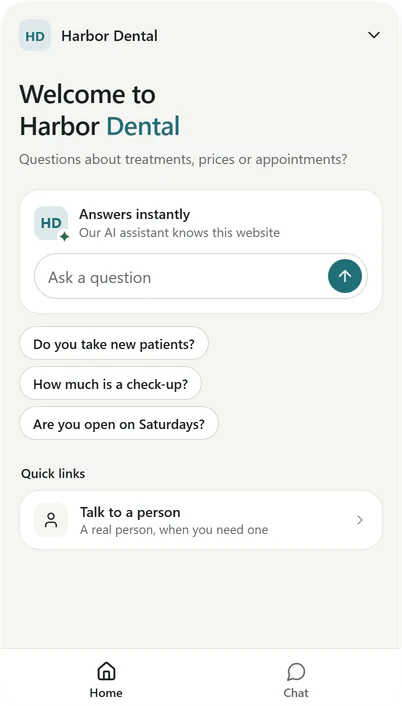
Real messengers, two demo businesses.
AI first, your team when it matters
Every chat lands in your inbox, with everything the AI said and the pages it used. Take over at any moment.
- Reply in the same chat. The assistant waits until you hand it back.
- Private notes only your team sees.
- Email and desktop alerts on every plan, Slack on Builder and Studio.
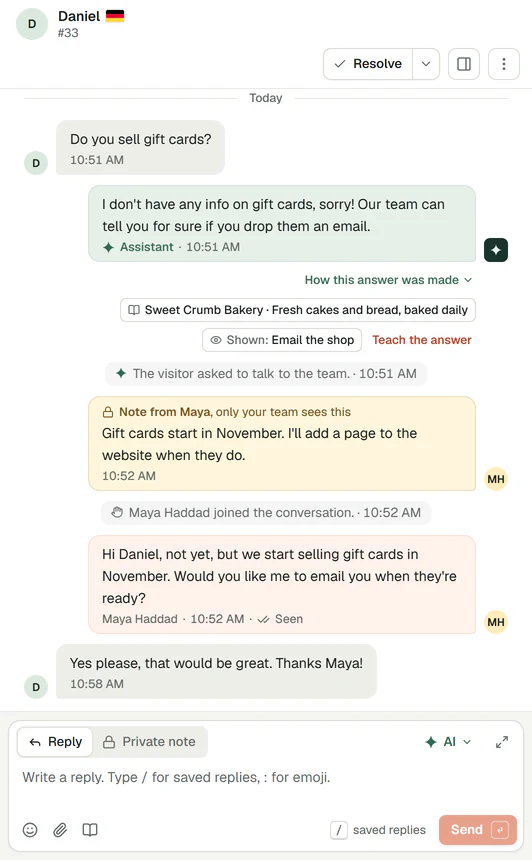
Real Corner inbox, demo bakery.
What it doesn't do yet
- Chats from WhatsApp, Instagram or email don't come into Corner yet. Corner works on your website.
- There's no opening hours schedule yet. Set yourself to Away when you're off, and visitors can leave their details.
Also included
Unlimited live chat on every plan. See every feature
Unlimited live chat on every plan
Your team's replies never count. Seats on each plan:
- Free
- 1 seat
- Starter
- 1 seat
- Builder
- 3 seats
- Studio
- 10 seats
Each seat is one person in your inbox. Compare every plan
Live chat questions
More detail in The messenger. Want their details? See lead capture.
Ready to see it answer from your pages?
Type your website. Corner reads up to 20 pages in about a minute. No sign up.
Free plan, no card. Live chat is unlimited on every plan.