An AI chatbot for small business websites, with you in charge
Corner answers the questions you get every day from your own website: what you offer, where you are, how to book. When your site doesn't say, it takes the customer's details, and you can reply yourself at any time.
Free forever: unlimited live chat and 30 AI conversations a month. No card.
No sign up to try it.
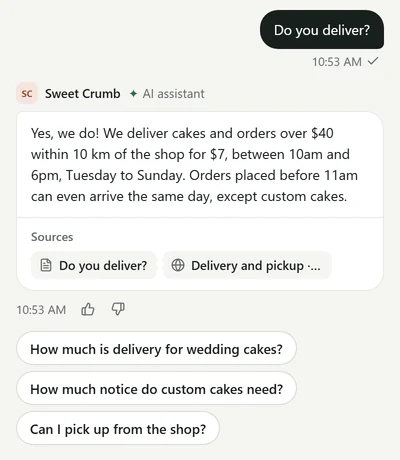
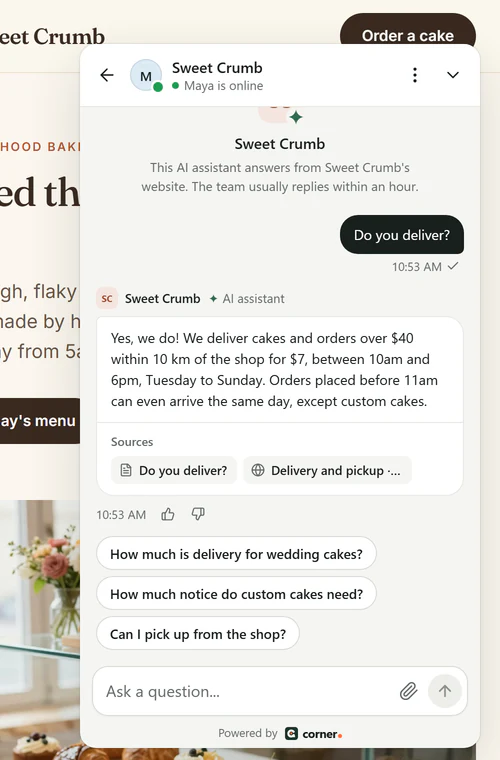
Real Corner messenger on a demo bakery's website.
The questions you get every day
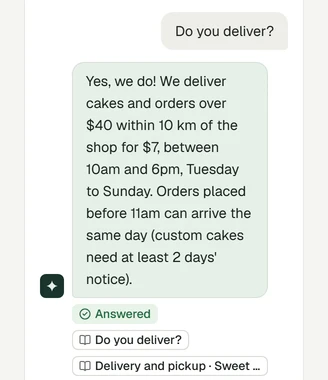
Real questions to a demo bakery's assistant, and its real answers, word for word. Pick one.
When the website doesn't say, like parking here, it says so and offers a way to reach the bakery.
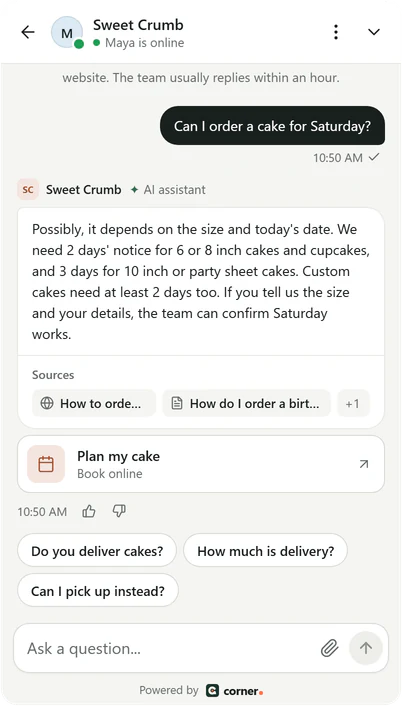
Real Corner messenger, demo bakery.
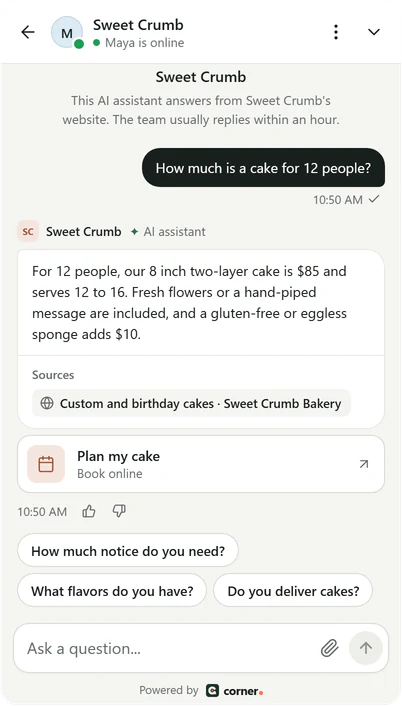
Real Corner messenger, demo bakery.
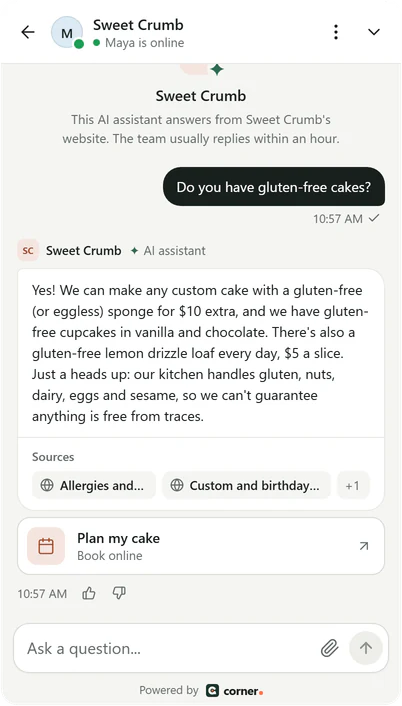
Real Corner messenger, demo bakery.
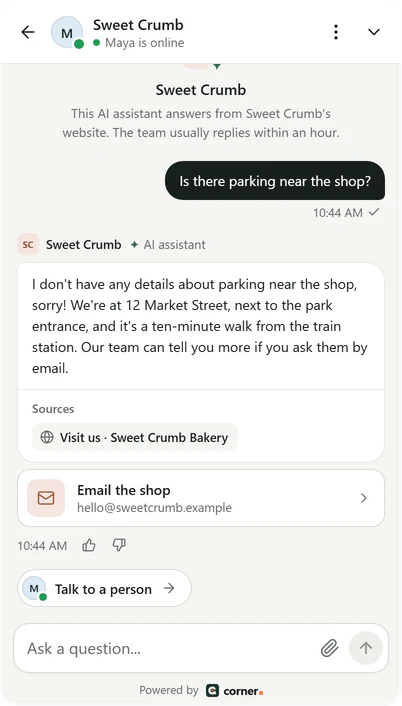
Real Corner messenger, demo bakery.
Four ways it helps a small business
The same assistant, on a quiet night and on your busiest day.
After hours
- It answers at night and on weekends.
- It takes details when someone wants a call back.
- You read every chat in the morning.
Prices and bookings
- It answers from your price list and booking page.
- It's built never to guess a price that isn't on your site.
- It shows your booking link as a button.
Busy days
- It handles the questions you answer over and over.
- You step in when a chat needs you.
- An email when someone asks for a person.
Learning what customers want
- The questions it couldn't answer, grouped.
- Teach the answer once.
- A short Monday email after a week with chats.
You stay in charge
Every chat lands in your inbox, with what the assistant said and the pages it used. Step in whenever you like.
- Take over any chat. The assistant waits until you hand it back.
- Customers leave their name and email or phone when your site doesn't have the answer.
- An email when someone asks for a person. Slack alerts on Builder and Studio.
Lead capture and the questions it missed come with every plan.
See the inbox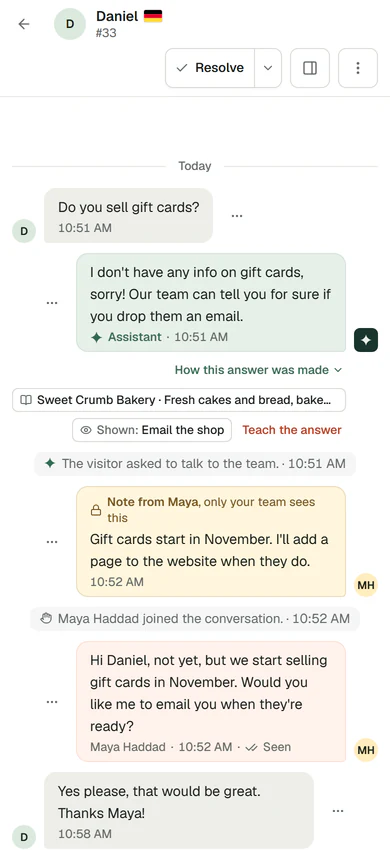
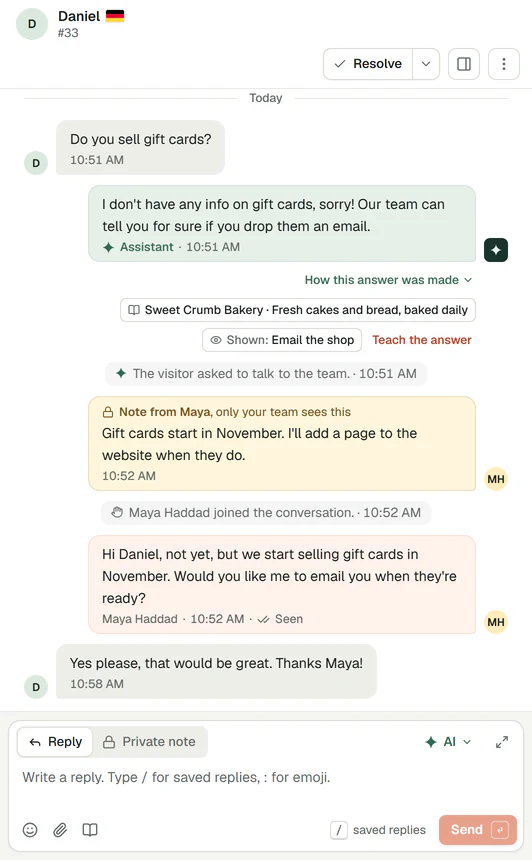
Real Corner inbox, demo bakery.
Set up in three steps
About five minutes from sign up to live. No coding skills needed.
- 01
Type your website
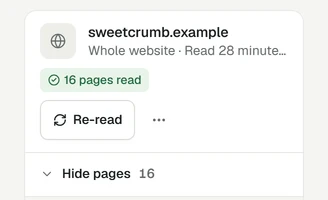
Corner reads your pages while you watch.
- 02
Check its answers
Ask what your customers ask. Test chats don't count.
- 03
Add it to your site
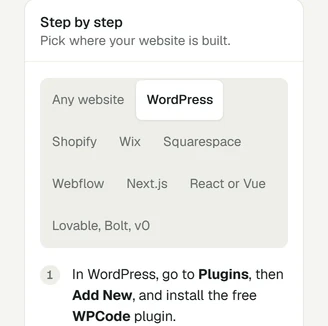
Paste one line, follow the guide for your platform, or send it to your web person.
Real Corner dashboard on a phone, demo bakery. Step 2.
Works with WordPress, Shopify, Wix, Squarespace, Webflow, or any site where you can paste one line.
What it costs
Start free. Pay for AI conversations, never for live chat. One price for your business, not per person.
- Free30 AI conversations a month$0
- Starter100 AI conversations a month$19 /mo
- Builder400 AI conversations, 3 seats$49 /mo
Free
Try it on one website
$0no card needed
30 AI conversations a month, 1 seat
Starter
For a small business getting started
$19per month
100 AI conversations a month, 1 seat
Builder
For a business with a small team
$49per month
400 AI conversations a month, 3 seats
See full pricingBuilding websites for clients? Corner for agencies
Honest limits
- Corner doesn't book appointments or take payments. It shows your booking or payment link as a button.
- It works on your website, not inside WhatsApp or social inboxes. A WhatsApp button can open a chat with you there.
- The messenger's own buttons are in English. Answers follow each visitor's language.
- There's no opening hours schedule yet. Set yourself to Away when you're off, and visitors can leave their details.
Small business questions
How the answers are made: the AI chatbot.
Ready to stop answering the same question twice?
Type your website. Corner reads up to 20 pages in about a minute. No sign up.
Free plan, no card. Live chat is unlimited on every plan.