A white label AI chatbot for agencies and their clients
Add an AI assistant to each client's website, keep every client in its own workspace, and hand over the account and the bill when they're ready. One plan with 10 assistants for your studio and your clients, $249 a month.
Free forever: unlimited live chat and 30 AI conversations a month. No card.
Cancel anytime. 14-day money back on your first payment (conditions).
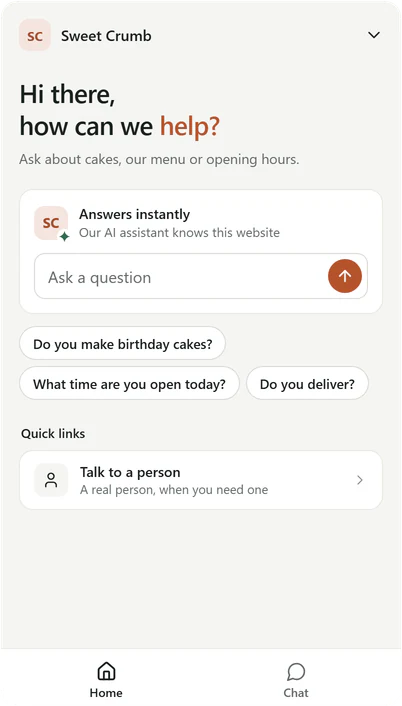
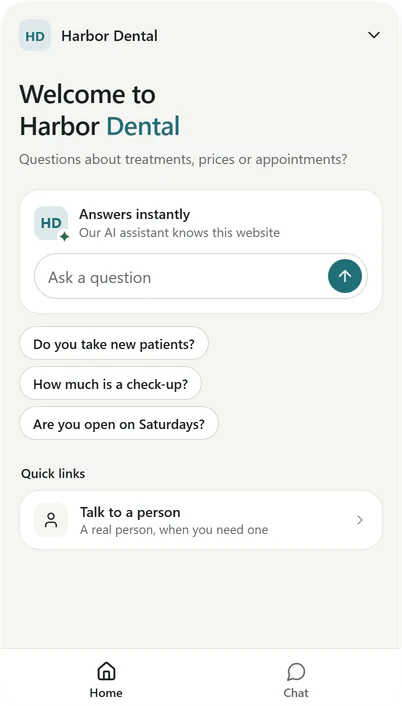
Real messengers, two demo clients of one studio.
The handover, in three steps
When a client wants to own their assistant and pay for it, hand them the whole workspace.
- 01Pending
Invite your client by email
Their invitation lasts 14 days. Until the handover, your Studio plan covers their workspace.
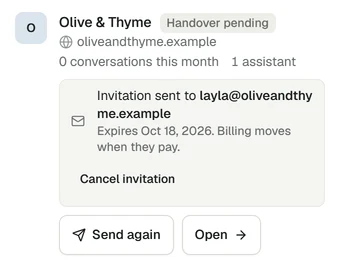
Real Corner dashboard, demo studio.
- 02Accepted
They accept and pay with their own card
They choose Builder or Studio and add their own billing. Nothing changes until they pay.
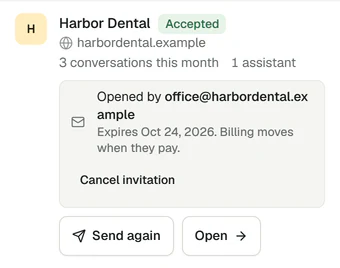
Real Corner dashboard, demo studio.
- 03Complete
It's theirs
The client owns the workspace and its bill. You can stay on as an admin, hidden from their visitors.
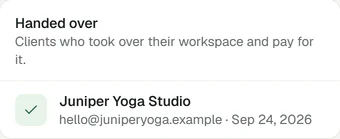
Real Corner dashboard, demo studio.
The assistant, its chats, leads and settings move with the workspace. After the handover its team emails are Corner's again, and its assistant stops counting toward your plan. How the handover works
Their brand, not ours
Your client's visitors see your client. Your client's team sees you.
What visitors see
Your client's brand, everywhere visitors look.
- The client's name, colors and logo in the messenger.
- No Corner badge. It shows until you switch it off in the client's messenger settings.
- Chat copies, help pages and visitor emails without Corner's name.
What your client's team sees
Your studio's brand, where your clients work.
- Your studio's name, color and logo on their alerts, weekly reports and invitations.
- The dashboard on your own address, with its own sign in page.
- Account and billing emails stay Corner's, so nothing about money is ever unclear.
Every client in one place
Your studio and your clients share 2,000 AI conversations a month and 10 assistants. Each workspace has up to 10 seats.
- Each client gets its own workspace, with its own assistant, knowledge, messenger, inbox and leads.
- Switch between clients from the workspace menu, in one click.
- Live chat with every client's visitors is unlimited, and never counts.
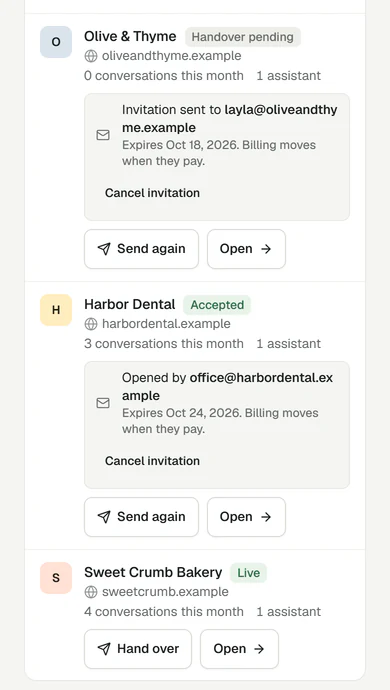
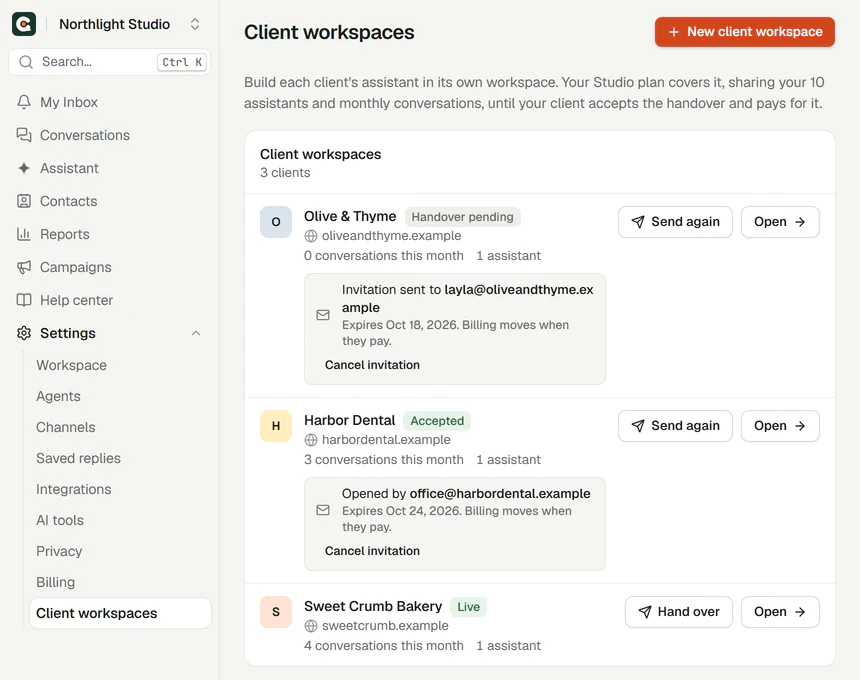
Real Corner dashboard, demo studio.
One plan for all your clients
Everything a studio needs to build, run and hand over assistants for the businesses it works with.
$249per month
or $2,490 a year: two months free. Prices in US dollars.
Start with StudioCancel anytime. 14-day money back on your first payment (conditions).
- assistants, shared
- 10
- AI conversations a month, shared
- 2,000
- seats in each workspace
- 10
- Each client in its own workspace
- Unlimited live chat, on every client's site
- Each client's brand, with the Corner badge off
- Your studio's brand on client team emails
- The dashboard on your own address
- Hand a workspace and its bill to the client
- Slack alerts and webhooks
- Extra AI conversations in a busy month: 100 for $15
Need more than 10 assistants? Hand finished clients over: their assistants stop counting toward yours. Or run a second workspace on its own Studio plan.
Set up a client's assistant from your AI tool
Connect Corner to Claude, ChatGPT or Cursor and ask in plain words: create a client's assistant, add it to their site, and read this week's leads.
Honest limits
- One Studio plan has 10 assistants, shared by your studio and your clients.
- There's no reseller discount, partner program or revenue share. Reselling is allowed, and you set what you charge your clients.
- Your studio's brand is on client team emails only while your plan covers the workspace. After the handover, they're Corner's again.
Agency questions
Every detail is in Studios.
Ready for your next client?
Try Corner on a client's website first. It reads up to 20 pages in about a minute, with no sign up.
Free plan, no card. Live chat is unlimited on every plan.