Skip to content
Inbox

An AI chatbot with human handoff: see every chat, step in any time

See every conversation your AI chatbot has, and step in when a visitor needs a person. Take over, reply, add a private note, and hand the chat back when you're done.

Free forever: unlimited live chat and 30 AI conversations a month. No card.

Start free

No sign up to try it.

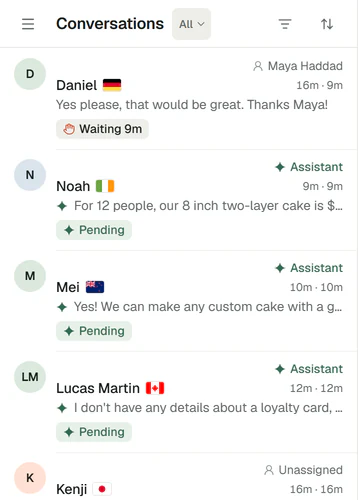
The Corner inbox's list on a phone, All conversations: Daniel with Maya Haddad, waiting 9 minutes for a reply, then Noah, Mei and Lucas Martin answered by the assistant, each with the start of the last message.
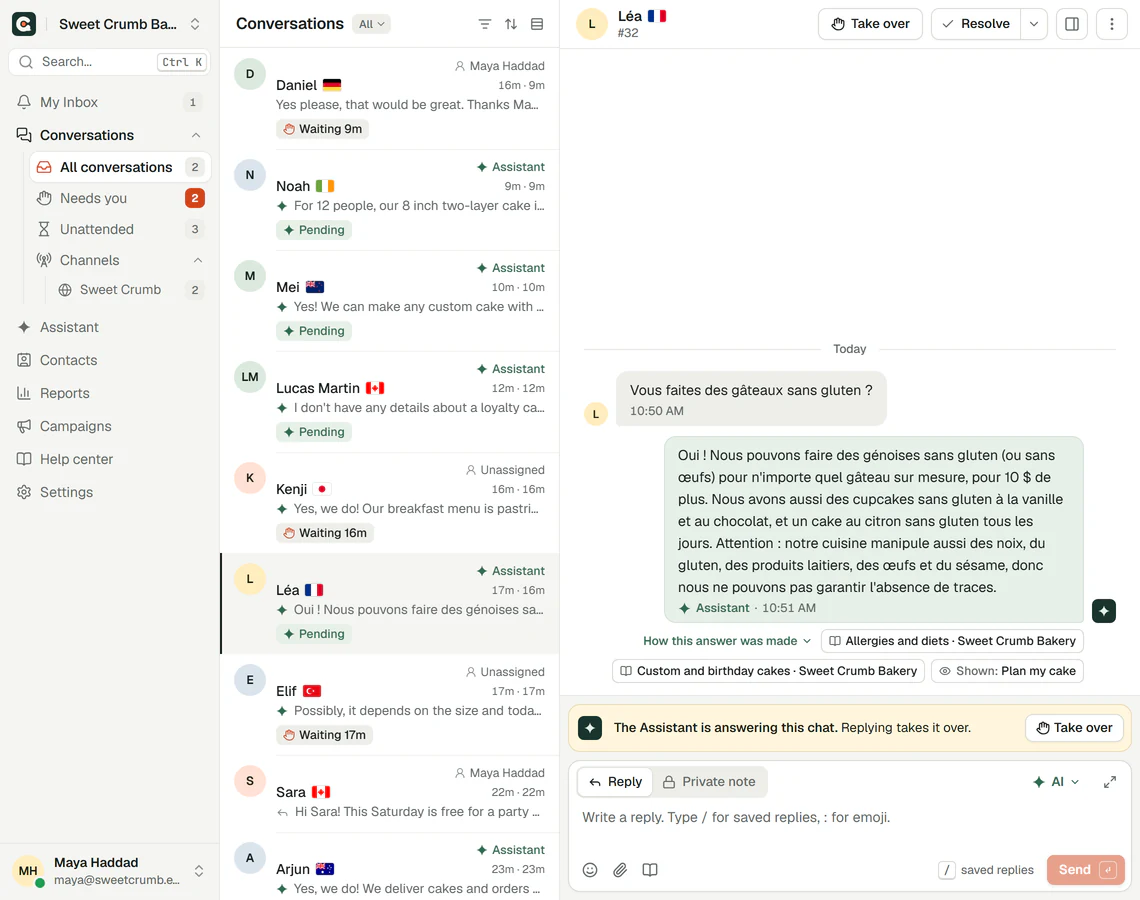
The Corner inbox, All conversations: Daniel with Maya Haddad and waiting for a reply, Noah, Mei, Lucas Martin and Léa answered by the assistant, Kenji and Elif waiting for a person, Sara with Maya Haddad. Léa's chat is open: her question in French, the assistant's answer in French with two pages it used, and 'The Assistant is answering this chat. Replying takes it over.' with Take over.

Real Corner inbox, demo bakery.

How your team works with the AI

The assistant answers first. Your team sees everything and steps in when it matters.

  1. 01Needs you comes first

    Needs you lists the chats waiting for a person, and Unattended shows where a visitor still waits for a reply. Filter, sort, and save your filters as folders.

    The Corner inbox's list on a phone, All conversations: Daniel with Maya Haddad, waiting 9 minutes for a reply, then Noah, Mei and Lucas Martin answered by the assistant, each with the start of the last message.

    Real Corner inbox, demo bakery.

  2. 02Take over and hand back

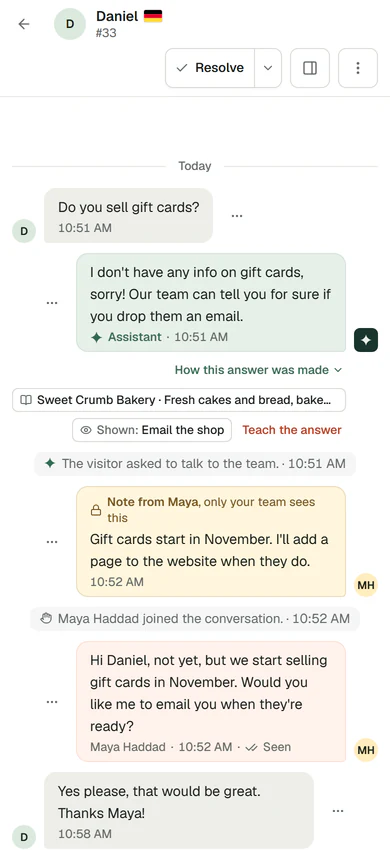
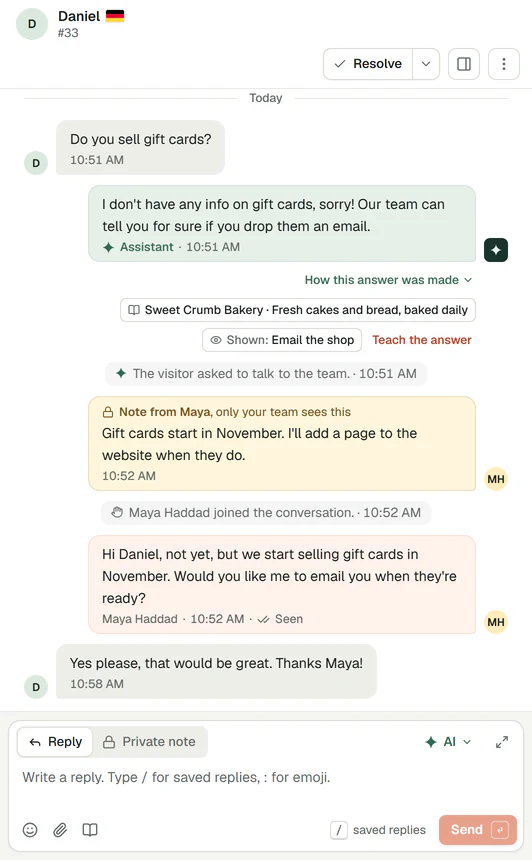
    Replying takes over the chat, and the visitor sees a person joined. The assistant waits until you hand it back.

    Daniel's chat in the inbox on a phone: the assistant couldn't answer about gift cards, 'The visitor asked to talk to the team.', a private note from Maya, 'Maya Haddad joined the conversation.', Maya's reply and Daniel's thanks.
    Daniel's chat in the inbox: 'Do you sell gift cards?'. The assistant couldn't answer and showed Email the shop. Then 'The visitor asked to talk to the team.', a private note from Maya ('Gift cards start in November. I'll add a page to the website when they do.', only your team sees this), 'Maya Haddad joined the conversation.', Maya's reply marked Seen, and Daniel's 'Yes please, that would be great. Thanks Maya!'

    Real Corner inbox, demo bakery.

  3. 03Write faster

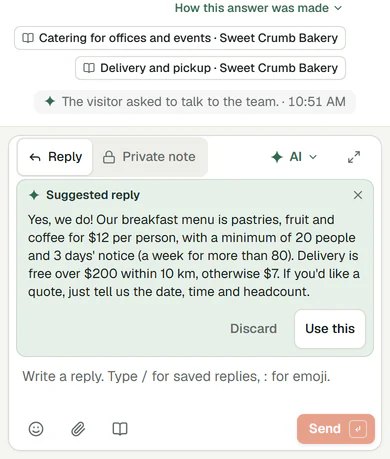
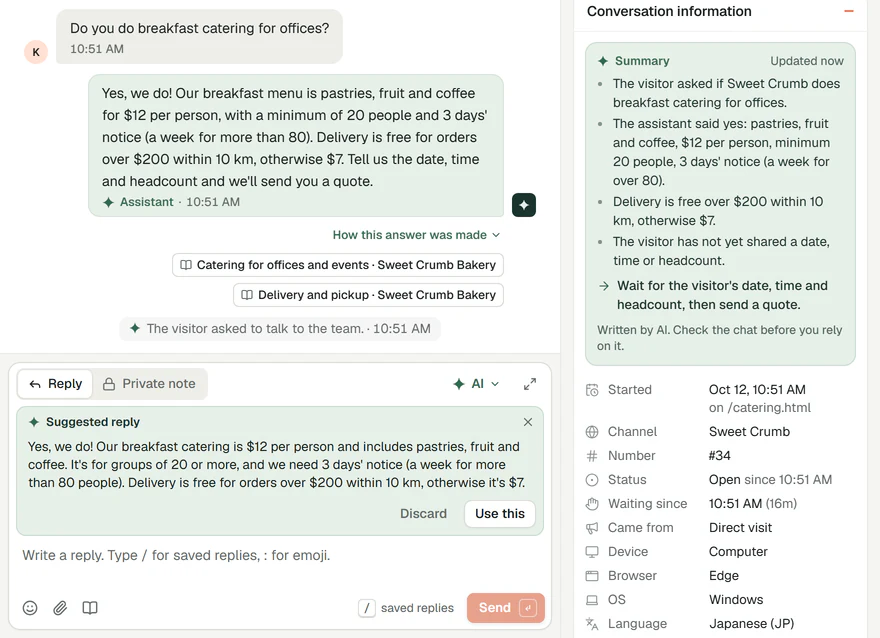
    Saved replies with a / shortcut, a suggested reply from your own content, rewrites in the tone you pick, and a summary of the chat.

    The reply box on a phone with a reply suggested by AI from the bakery's own pages, with Discard and Use this.
    Kenji's chat in the inbox: 'Do you do breakfast catering for offices?' and the assistant's answer with two pages it used. In the reply box, a reply suggested by AI from the bakery's own pages, with Discard and Use this. Beside it, the chat's AI summary: what Kenji asked, what he was told, and what's next: wait for the date, time and headcount, then send a quote.

    Real Corner inbox, demo bakery.

  4. 04Know who you're talking to

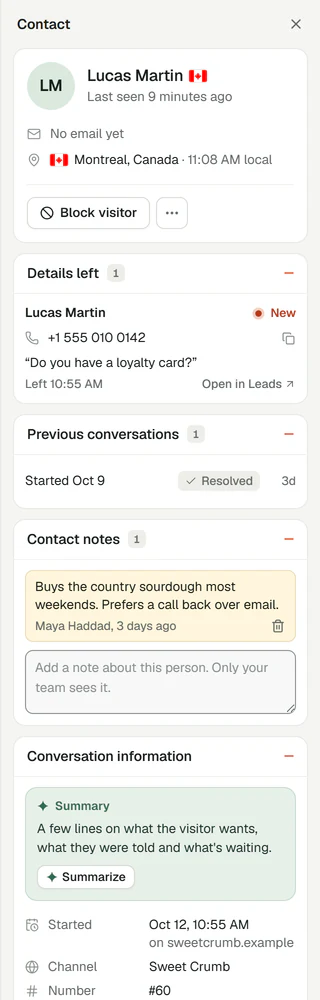
    Location and local time, the pages they viewed, their earlier chats, the details they left and your team's notes about them.

    The contact panel beside a chat: Lucas Martin, last seen 9 minutes ago, no email yet, Montreal, Canada, 11:08 AM local, and Block visitor. The details he left: his phone number and 'Do you have a loyalty card?', New. One previous conversation, resolved. A note from Maya: 'Buys the country sourdough most weekends. Prefers a call back over email.' Then the conversation's information.

    Real Corner inbox, demo bakery.

My Inbox

Everything waiting for you, in one place

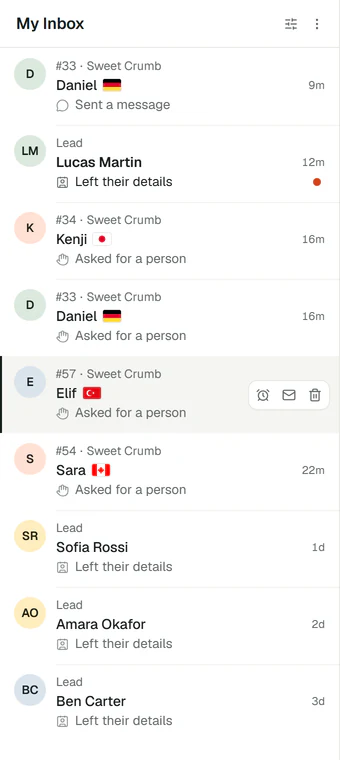
Requests for a person, new messages in your chats and new leads land in My Inbox. Search finds any chat, message or help article.

  • Mark an alert as read or snooze it, and get browser alerts with a sound.
  • Search by name, email, chat number or the words in a message.
  • Press Ctrl K, or Cmd K on a Mac, to resolve a chat or go anywhere from the keyboard.
Inbox, leads and alerts
My Inbox: Daniel sent a message, Lucas Martin left their details, Kenji, Daniel, Elif and Sara asked for a person, and Sofia Rossi, Amara Okafor and Ben Carter left their details, each with how long ago. Elif's request is open.

Real Corner inbox, demo bakery.

Alerts

Alerts that reach you

Email and desktop alerts on every plan, so nobody waits for a reply. Slack and webhooks on Builder and Studio.

  • An email when someone asks for a person or leaves their details.
  • Desktop alerts and a sound while the dashboard is open.
  • A Slack channel or your own system, on Builder and Studio.
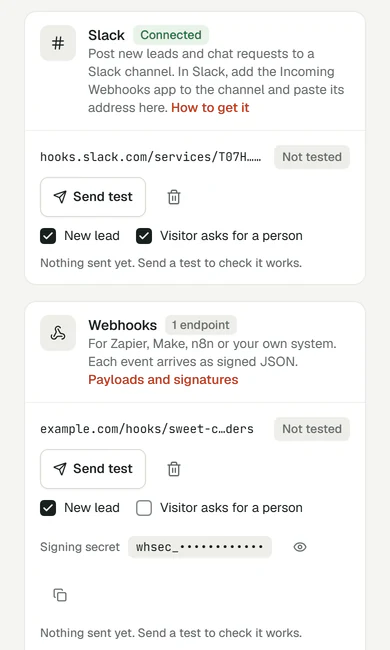
Slack alerts
Settings, Integrations on a phone: Slack connected, posting new leads and requests for a person to a channel, with Send test, and a webhook for new leads, with its signing secret hidden and Send test.

Real Corner dashboard on a phone, demo bakery.

What it doesn't do yet

  • Today the person who replies takes over the chat. Assigning chats to a teammate, teams, labels, snoozing a chat, macros and email in the same inbox are on our roadmap. See what's next.Launching with V2

Also included

On every plan. See every feature

Private notesNotes in the chat that the visitor and the AI never see.
BlockingHide the messenger from a visitor for 1, 7 or 30 days, or until you unblock them.
Chat copiesDownload a chat, or email a copy to the visitor.
Leads beside the chatThe details a visitor left, next to their conversation.
RolesOwner, admin, agent and viewer, each with what they can see and do.
On your phoneThe dashboard works in your phone's browser.

The inbox on every plan

AI suggested replies, rewrites and summaries have daily limits.

Free
1 seat
Starter
1 seat
Builder
3 seats
Studio
10 seats

Slack and webhooks on Builder and Studio. Compare every plan

Inbox questions

More detail in Inbox, leads and alerts.

Seats: 1 on Free and Starter, 3 on Builder and 10 on Studio. Pending invitations count as seats. Each person has a role: owner, admin, agent or viewer. Corner for small teams

Related

Ready to see it answer from your pages?

Type your website. Corner reads up to 20 pages in about a minute. No sign up.

Start free

Free plan, no card. Live chat is unlimited on every plan.